Magnet Courier
Hold to the left or right of your courier to aim, let go to launch. Same-coloured cables let you through; the first one that doesn't match grabs you. Deliver every parcel before it goes stale.
Controls
- Touch — press and hold anywhere to the left of your courier
- Aim left and start charging; the aim line shows exactly how far this launch will carry you
- Touch — press and hold to the right of your courier
- Aim right and charge; the direction locks where you press and cannot be changed while you hold
- Touch or mouse — lift your finger or release the button
- Launch in the locked direction with the range you charged; charge resets to zero
- Mouse — hold the left button on either side of the courier
- Use the same aim-and-charge control as touch, anywhere on the playfield
- Keyboard — hold Left Arrow or Right Arrow, then release the key
- Charge in that direction and launch the moment the key comes up
- Escape, or the Pause button in the top bar
- Pause the shift, then resume, restart, open How to Play or quit to the title
How to play
ObjectiveRide three magnetic cables upward and clear all 24 gates of one shift, sending parcels out in matching batches before any of them goes stale in your bag.
Getting started
- Choose Start Shift on the title screen. You begin clipped to the middle cable and climb on your own without any input.
- Read the three symbols in the top bar first. They are the next three delivery bands, and they decide which parcels are worth carrying.
- Press and hold on the side of your courier that faces the parcel you want, watch the aim line stretch, then let go to launch onto that cable.
- Ride past a parcel to clip it into your bag. A freshness ring starts draining beside it the moment you pick it up.
- Stay put when a delivery band sweeps across the screen. Every parcel in your bag carrying that band's symbol flies out together, and larger batches pay much more.
- Before the gate at the top of each segment, launch onto a different cable. From segment 4 the gate plate always blocks the cable you entered the segment on.
- Watch your five seals. Hitting a plate, falling through a gap in the side wall or letting a parcel go stale each costs one seal and restarts the segment.
- Clear all 24 gates to complete the shift, then choose Play Again or Rush Mode on the result screen to start the next one.
Tips
- Only pick up a parcel whose symbol is already in the top three forecast slots. A symbol outside those three cannot get a band in time, so that parcel is certain to go stale in your bag and cost you a seal.
- Aim for the colour the target cable will be when you land, not the colour it shows now. The red and blue stripes flip roughly every 1.2 seconds of climb, and charging plus flying often takes about a second.
- Decide on a two-cable jump before you take your second parcel. From two parcels onward the extra load shortens your range enough that the far cable is unreachable no matter how long you hold.
- Remember that crossing two cables is a colour problem, not a strength problem. The near cable has to match your colour so you pass through it, and the far one has to differ so it catches you.
- Treat the high pickup near the top of a segment as a trap once you are carrying six parcels. It sits on the cable the gate plate blocks, and at that load a cable change takes longer than the time left before the gate.
- Launch into an intact side wall on purpose when you need time. You stop climbing for about a second and a half, which is often exactly long enough for the stripe you want to flip colour.
- Chase the three same-symbol parcels that turn up in every block of three segments. Sending all three out on one band pays 600, while delivering them one at a time pays only 100 each.
- Release a little early rather than a little late when you are unsure. Falling short pulls you back to the cable you left and costs about 1.2 seconds, but holding too long carries you straight past the pickup you were aiming for.
FAQ
How do I start playing Magnet Courier?
Choose Start Shift on the title screen and you are already climbing the middle cable. The first three segments cannot hurt you: there are no gate plates, no wall gaps and no all-same-pole stretches, and a one-line tip appears each segment through segment 8. You can turn those tips off with Skip tips at any time.
Do I need to download Magnet Courier or create an account?
No. Magnet Courier runs in the browser with no download, no account and no sign-in. There are no in-game purchases, no paid continues and no watch-an-ad revives, and the game makes no network requests while you play.
How do I control Magnet Courier on a phone?
Press and hold on the left of your courier to aim left, or on the right to aim right, then lift your finger to launch. The whole playfield is pressable, the direction is measured against your courier rather than the middle of the screen, and both portrait and landscape use the same one-thumb control.
What are the keyboard and mouse controls?
Hold Left Arrow or Right Arrow to charge in that direction and release the key to launch. A mouse uses the same hold-and-release action with the left button, pressed to whichever side of the courier you want to go. Escape pauses the shift; gamepads are not supported.
How does scoring work in Magnet Courier?
Batches are where the points are: one parcel on a band pays 100, two pay 300, three pay 600 and five pay 1500. Each delivered parcel adds up to 50 more depending on how fresh it still is, every gate you pass pays 40 for each parcel you are carrying, and finishing all 24 gates adds 2000. Staying alive by itself pays nothing.
Why do my parcels keep going stale?
A parcel expires 24 seconds after you pick it up, so anything you grab without checking the forecast is likely to burn out. The three symbols in the top bar are the next three delivery bands; if a parcel's symbol is not among them, the soonest band that could take it arrives after the 24 seconds are already gone. Leave those parcels on the cable.
Why do I keep crashing into the gate plate?
From segment 4 onward the plate always blocks the cable you were on when you entered that segment, so you cannot ride the same cable through two gates in a row. Change cable somewhere in the segment rather than at the last moment, and skip the high pickup when you are carrying six or more parcels, because at that load you no longer have time to move before the gate arrives.
Why can I no longer reach the far cable?
Your range shrinks as your bag fills, so a launch that cleared two cables while empty falls short once you are loaded. From two parcels onward, crossing two cables in one launch is impossible even with a full charge. Reaching the far cable also needs the near cable to match your colour so you pass through it, and the far one to differ so it catches you.
What happens if I fly off the side of the screen?
You get a 0.8-second recovery window, shown as a countdown glowing along the screen edge. Press once inside that window and you are pulled back to the nearest cable of the opposite colour, with 1.3 times your usual range on that pull. Do nothing and you fall, which costs one seal and restarts the segment. This can only happen where the side wall has a visible gap, from segment 9 onward.
How many mistakes can I make before the run ends?
You carry five seals, and hitting a gate plate, falling through a wall gap or letting a parcel go stale each costs one. Every accident also restarts the current segment and rolls back the parcels and points you collected in it, so you cannot farm the same segment. The accident after your last seal ends the shift.
How do I unlock the other routes and skins?
Routes 2 to 5 unlock at 40, 120, 280 and 600 total segments cleared across all your runs, and they change the stripe rhythm and the mix of hazards rather than the delivery rules. Magnet skins come from the Daily Manifest: running it on 3, 7 and 14 consecutive days unlocks one each. Skins change the shell only — red and blue always mean the same thing.
Is my Magnet Courier progress saved, and what if the game will not load?
Progress is stored in the current browser on the current device only, so your best score, totals, unlocked routes and daily streak do not follow you to another device, and clearing site data removes them. If a background layer fails to load, the error screen offers Try Again or Play Anyway, and the cables, parcels and gates work either way. For silent audio, switch Sound back on in the pause panel and check your device's mute switch.
About the game
Hold to the left or right of your courier to aim, let go to launch. Same-coloured cables let you through; the first one that doesn't match grabs you. Deliver every parcel before it goes stale.
Recently added

Light Train
Tap a track. Ride the beat. Deliver the light.
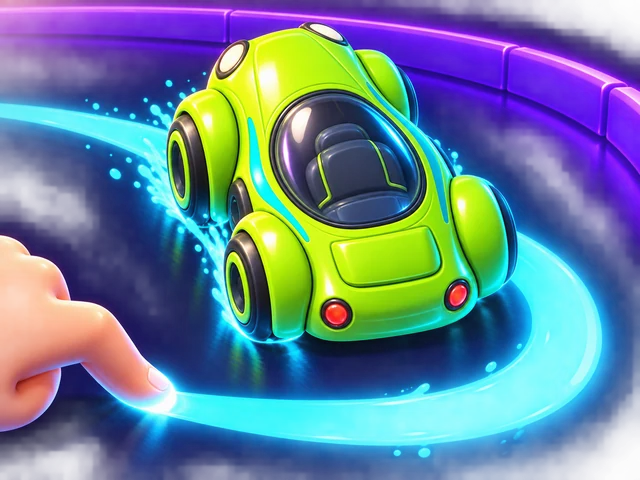
Ink Lap
Draw your racing line, then watch your car drive it. Round curves are fast, sharp kinks are slow. Beat the bronze, silver and gold ghosts, then challenge a friend with a code.

Cloud Night Market
Place stall keepers on a night market floating above the clouds. When side-by-side stalls hold exactly the dishes a customer wants, the combo sells on the spot — save a gap for big combos, sell one keeper to two tables, and keep your three lanterns lit until the moon reaches the end of the street.

Bubble Cannon
Slide the bubble cannon along its rail and fire straight up. Match three colors to pop them, cut the one bubble holding a whole bunch to drop it, and play close to the bottom line for up to triple points — if you dare.

Star Duel
Stars appear between you and the person next to you, and each one is on a timer. Hold a pad on your side and the star in that column starts sliding your way. Hold too long and it burns in your hands. Most points in sixty seconds wins the round.