Nine Lights Stall
Your sign lights up nine icons at once and most of them lead your guest the wrong way. Switch them off one by one, and save the big one for the half second after they raise a hand.
Controls
- Tap a lit icon (finger, or left mouse button)
- Switches that icon off for good. The pink bar drops by that icon's astray dots and the blue bar drops by its toward-your-card dots, both in the same frame
- Tap another icon while the ring is closing
- Adds one more switch inside the half second after your guest raises a hand — this is where the double payout is won or lost
- Wave-off button, to the right of the sign
- Sends the guest away. Your reputation is untouched, but your streak resets to one and the power you already spent is gone
- Arrow keys, then Enter or Space
- Moves focus around the 3x3 sign and switches off the focused icon. Icons already switched off are skipped
- Pause button in the top corner — tap it, or Tab to it and press Enter
- Pauses the night and opens Settings, How to play and Close up. Sound, vibration and reduce-motion live there. Back to the Stall resumes the same guest; Escape is not a pause shortcut
How to play
ObjectiveYour guest cannot see the concept card in your hand — only the nine icons lit on your sign, and most of them are pulling that guess the wrong way. You win a guest when the icons you leave lit are enough for them to name the card out loud, and you win the night by getting 24 guests through before your reputation runs out.
Getting started
- On the title screen press Open the Stall, then pick a mode, a set of words, a difficulty and a look for the stall. Today's Crowd and Standard are the defaults, and Standard gives each guest 6 seconds of patience and you 3 reputation bulbs.
- A guest walks up and your concept card turns over above the sign — a picture only you can see. All nine icons light at once and the blue bar sits well short of the pink one, which is why nobody can guess yet.
- Switch off the icons with no blue dots and three pink dots last, not first. Use the one- and two-point icons to walk the pink bar down until blue is about to overtake it.
- Watch the striped band above the pink bar while you work. It shows how far off your guest might still be and narrows as they think it over; how fast it narrows tells you how far off this particular guest is.
- The moment blue passes pink your guest raises a hand and a ring starts closing around them over 0.6 seconds. Switch off one more strong icon in that half second and try to land the blue bar exactly on the hollow star notch beside the pink bar.
- When the ring closes the verdict happens: a picture floats up in your guest's thought bubble. The same picture as your card means they got it, your streak goes up one, and the next guest walks on about a second later.
- The night ends when the 24th guest is settled, when your last reputation bulb goes dark, or when the power runs out and three guests in a row go by without you being able to switch anything off. The results screen gives you stars out of three and Set Up Again starts a new night without going back to the title.
Tips
- Save the three-pink-dot icons for last. Each sign has exactly two of them and each moves the bars by three in a single tap, so spend them early and you will be crossing the line on a one-point icon with nothing left to finish the job.
- Let your guest raise a hand while the blue bar is still inside the striped band, on purpose, then land blue exactly on the hollow star in that half second. Stopping short risks a wrong guess; going past the star is still safe but throws the double payout away.
- Read how fast the striped band narrows rather than how tall it is. A band that shrinks quickly means this guest is not far off and you can finish early; one that barely moves means they need a lot more convincing.
- Do not spend a fourth switch on a one-star guest. Forty base points is not worth the power when the three-star guests and the double-paying special guest are still ahead of you in the queue.
- If a hand goes up before you are ready, switch off a strong toward-your-card icon. Pushing blue back below pink makes the guest lower their hand with no verdict at all, so you get another attempt for the price of some power.
- Speed is the biggest single multiplier on the board: every second you spend deciding cuts the payout, and waiting a full four seconds costs about two thirds of it. Getting a guest through in two seconds beats getting them through safely in six.
FAQ
How do I start playing Nine Lights Stall?
Press Open the Stall on the title screen, leave the four choices on Today's Crowd, Everyday, Standard and Neon Street, and press it again. Your very first night walks you through it: a finger points at the icon to switch off, then at a second one, then shows you that you still have time for a third after your guest raises a hand. Nothing is installed and nothing loads between that and playing.
Is Nine Lights Stall free, and do I need to download anything or sign in?
It is free to play in your browser with nothing to download, no account and no sign-in. There is no shop, no currency and no advertisement before you play. Your best scores, stars and the words you have met are kept in the browser on the device you played on, which is the only place any of it is stored.
Can I play Nine Lights Stall on my phone?
Yes — the game is built for a phone held upright, and the whole sign sits in the lower half of the screen where your thumb already is. Turning the phone sideways moves the meters to the left and the sign to the right with the same rules and the same timings. On a computer you get that same phone layout, centred on the page with dark edges either side, and the mouse works exactly like a finger.
Where is the submit button?
There isn't one, and that is the whole trick of the game. Your guest speaks up on their own the moment the blue bar passes the pink one, so the icon you switch off last is your submit. That is also why the order you switch icons off matters more than anything else: the wrong icon at the wrong moment sends a guess you were not ready to make.
Can I switch an icon back on after switching it off?
No. Switching off is permanent for that guest, and there is no undo button anywhere in the game. The one way back is to switch off a strong toward-your-card icon so the blue bar drops below pink again: your guest lowers their hand, no verdict is given, and you carry on with the icons you have left. It costs power and time but it saves a reputation bulb.
What do the blue and pink dots on each icon mean?
Blue dots are how much that icon points at the card in your hand, and pink dots are how much it points at something else entirely. An icon with three pink dots and no blue ones is pure noise, so switching it off drops the pink bar by three and costs you nothing in blue. Icons that fit lots of different words are noisy by nature, which is why the obvious-looking ones are your strongest tool.
Why can't I see exactly how far off my guest might be?
Because that part is the guest, not the sign. The striped band above the pink bar is the most they could still be wrong by, and it narrows as they think the picture over until it settles on the real amount. You are always betting on how much of that band is left, and pushing the blue bar above the top of the band is the only thing that makes a guess certain.
I switch icons off quickly but I keep losing — why?
Speed is probably not your problem; margin is. The usual mistake is spending both three-pink-dot icons early because they look useless, which leaves you crossing the line on a one-point icon with nothing big in reserve. Your guest raises a hand right then, you have nothing left to finish with, and they blurt out the wrong thing. Walk the bars up with the small icons and keep one big one for after the hand goes up.
How do I get three stars in Nine Lights Stall?
Three stars needs 11,000 points in one night, against 5,000 for two and 1,400 for one. Getting there means being fast rather than safe: the payout shrinks every second you spend, a run of guests adds ten percent each up to double at eleven in a row, and eight in a row with full reputation lights the whole sign for another thirty percent. The biggest single item is the double you get for letting a hand go up while you are still in the striped band and then landing blue exactly on the hollow star.
What happens when I run out of power?
Lit icons stop responding, the battery bar flashes red, and a tapped icon rocks sideways instead of going out, so you always know the tap registered. You can still wave guests away, but if three guests in a row pass without you being able to switch anything off, the night ends there. A night gives you 90 units of power on Standard, one per switch, shared across all 24 guests.
Does waving a guest off cost me anything?
Your reputation is safe, which is the point of the button, but your streak resets to one and the power you already spent on that guest is not refunded. On a long run that is expensive, because the streak multiplier is worth up to double. Waving off is the right move in two places: when a guest is beyond what your remaining icons can reach, and when a one-star guest is not worth more power.
Can two people play on one phone?
Yes, in Pass the Phone. One of you sets the sign with no timer and no power limit, a curtain hides the concept card, and then the other person looks only at the icons still lit and picks which of six cards was meant. Both of you score when the pick is right. It runs five rounds and keeps no records, so it never touches your stars or best scores.
Is my progress saved, and does the game work offline?
Your stars, unlocks, best scores and the words you have met are saved in this browser on this device, written at the end of each night and whenever you change a setting. A night in progress is not saved across a reload. The game needs a connection to load, then plays with no network at all — nothing is uploaded, and there are no accounts, leaderboards or cross-device sync. Private windows, clearing site data or a different device start you from zero, and if the browser refuses to save, Settings says so and the night still counts.
Nothing loads, or there is no sound — what should I do?
If the error panel appears, press Try again, then check your connection and reload the page. For sound, open Pause then Settings and check the Sound switch, then your device volume and, on an iPhone, the silent switch; vibration and reduce motion are in the same panel. If taps do nothing, look at whether the icon is already dark or the battery bar is empty — dark icons are deliberately dead, and an empty battery makes lit ones rock instead of going out.
Do I need to read anything to play, and is Nine Lights Stall suitable for children?
No reading is needed and it suits all ages from about six. The card is a picture, the icons are pictures, what your guest says is a picture, and every word on screen is a label you can ignore. There is no violence, nothing frightening, nothing to buy, no chat and no content from other players, and the concepts are everyday things, weather and simple actions. A screen reader names every icon and reads both meters aloud.
About the game
Your sign lights up nine icons at once and most of them lead your guest the wrong way. Switch them off one by one, and save the big one for the half second after they raise a hand.
Recently added
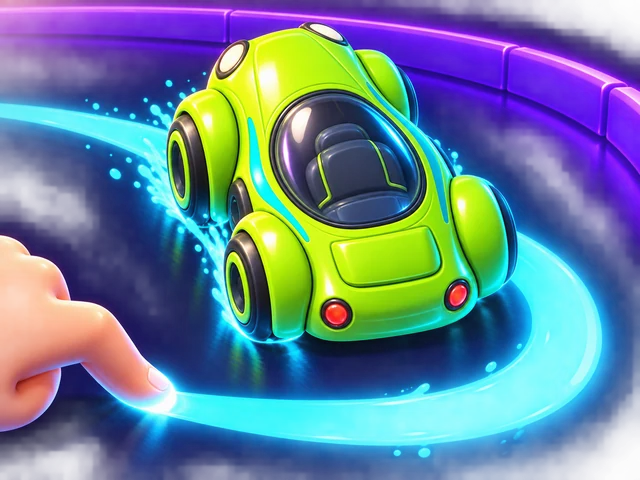
Ink Lap
Draw your racing line, then watch your car drive it. Round curves are fast, sharp kinks are slow. Beat the bronze, silver and gold ghosts, then challenge a friend with a code.

Cloud Night Market
Place stall keepers on a night market floating above the clouds. When side-by-side stalls hold exactly the dishes a customer wants, the combo sells on the spot — save a gap for big combos, sell one keeper to two tables, and keep your three lanterns lit until the moon reaches the end of the street.

Bubble Cannon
Slide the bubble cannon along its rail and fire straight up. Match three colors to pop them, cut the one bubble holding a whole bunch to drop it, and play close to the bottom line for up to triple points — if you dare.

Star Duel
Stars appear between you and the person next to you, and each one is on a timer. Hold a pad on your side and the star in that column starts sliding your way. Hold too long and it burns in your hands. Most points in sixty seconds wins the round.
Turnkeep
One button turns the whole room. Gravity does the rest — read the line, pick a side, and fall through every monster before your heat runs out.
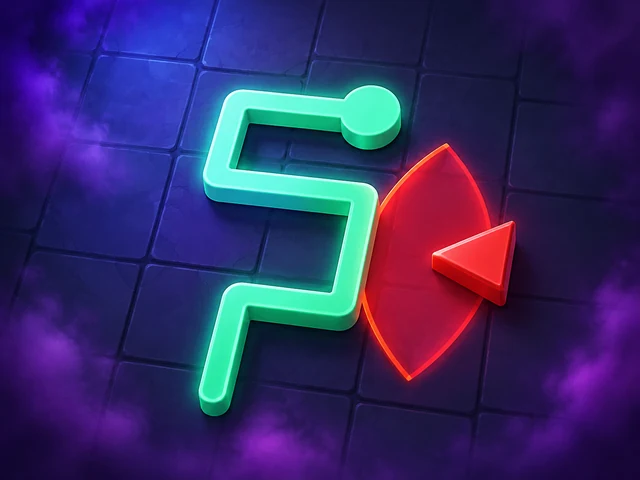
Sneak Route
Hold the thief, drag a straight run of up to five tiles, and let go — the line locks the moment you release it, and there is no eraser. Every segment is a path, a timetable and a wall all at once, so the order you draw the gems in decides whether the exit is still reachable four moves later. Sweep past a searchlight one tile early and you are seen; carry one gem too many and the alarm burns out before the door.