Multiplayer
Multiplayer games are shared-session games where a real person fills the other role, defined by live decisions, unrehearsed results and shared timing.
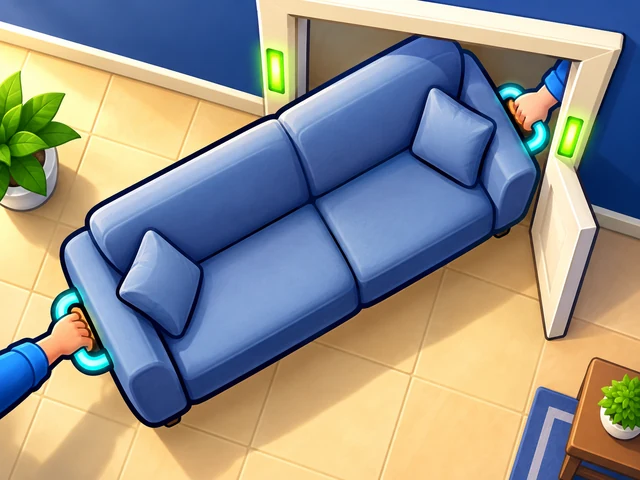
Move Buddies
Hold one end of the furniture and steer it while your buddy pushes the other. Get every piece into the van without a scratch — or hand the phone over and take an end each.

Star Duel
Stars appear between you and the person next to you, and each one is on a timer. Hold a pad on your side and the star in that column starts sliding your way. Hold too long and it burns in your hands. Most points in sixty seconds wins the round.
Multiplayer covers two different situations. In one, two people share a keyboard or a screen in the same room; in the other, players connect over the internet and never meet. Both are multiplayer, with different requirements.
For same-screen play, check the control layout first. A two-player game on one keyboard has to split the keys, and the controls listed on the game page show that second set. On a phone it works only if the touch area is divided.
For online play, a stable connection matters more than a fast device. Latency shows up as delayed reactions rather than low frame rates. If a match will not start, refresh the page and disable content blockers for that game.
Frequently asked
Can I play multiplayer games online with a friend for free in a browser?
Yes, multiplayer games here are free and run in the browser tab. Whether your friend joins on the same keyboard or over the internet depends on the individual game, and its controls make that clear.
Which multiplayer games can two people play on the same computer?
Look for a multiplayer game whose control list shows two separate key sets, which is how same-keyboard play is arranged. That layout is described on the game page before you open it.
Do multiplayer browser games need a download or an account?
No download is required, and there is no sign-up either, so an available game opens straight from its page. Anything a game records stays in your browser on the device it was played on.
Why does an online multiplayer game feel delayed?
Delay in a multiplayer match usually comes from the connection rather than the device, so a shaky network shows up as late reactions. Switching to a more stable connection helps more than closing background apps.
Can I play multiplayer games on a phone browser?
Many run fine on a phone, though same-screen multiplayer only works when the game splits the touch area between players. The control notes on the game page tell you what the game supports.
What should I do if a multiplayer game will not connect?
Refresh the page, check your connection, and disable content blockers for that game before trying again. If it still fails, opening the game in the latest Chrome, Safari, Edge or Firefox is the next step.